Read Any, Understand More
An AI-powered e-book reader with intelligent chat, semantic search, annotation, and knowledge management.
Available on all platforms
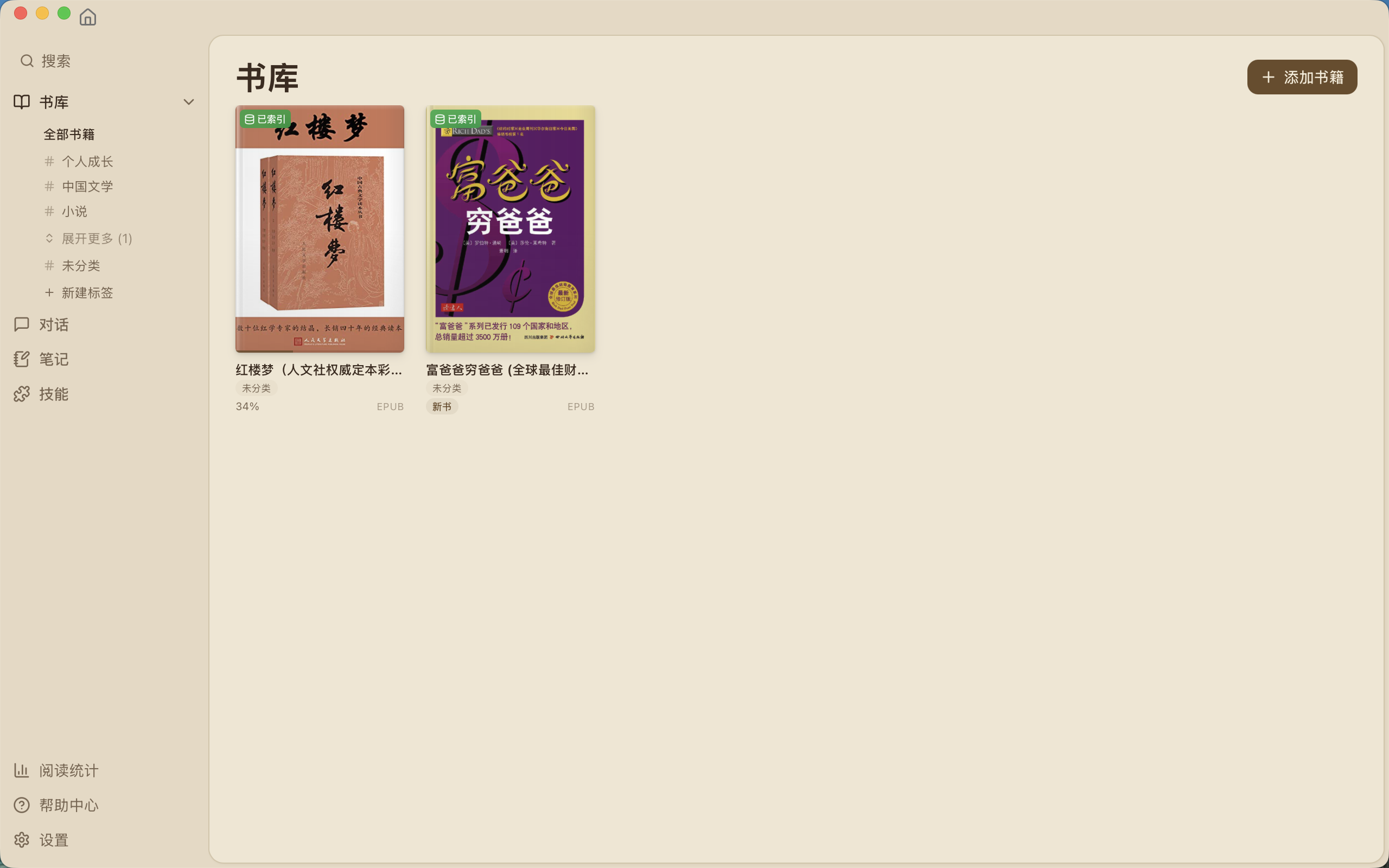
Powerful Features for Modern Readers
Everything you need for an enhanced reading experience
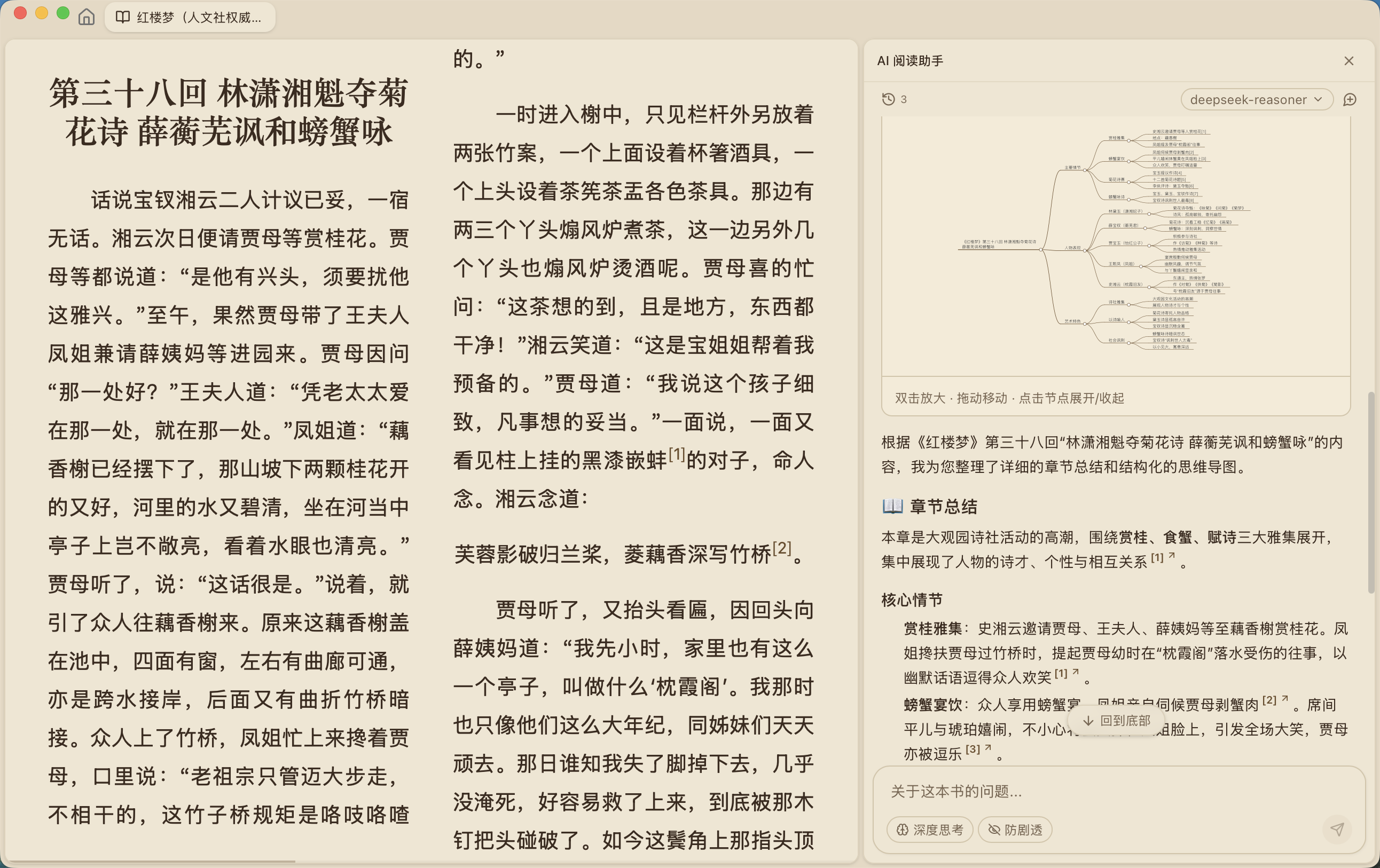
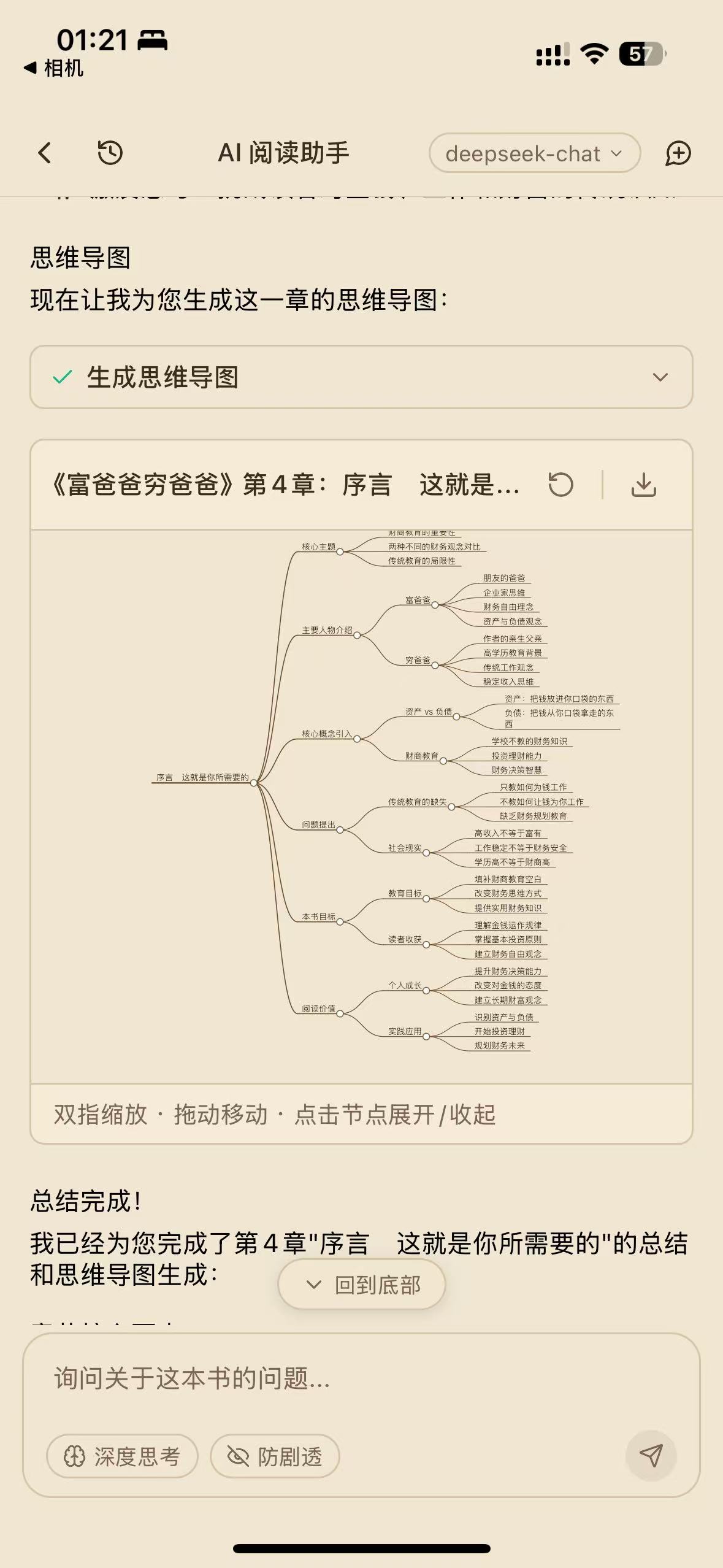
AI-Powered Chat
Chat with your books using AI. Ask questions, get summaries, explore themes, and translate instantly. Supports OpenAI, Claude, Gemini, Ollama, and DeepSeek.
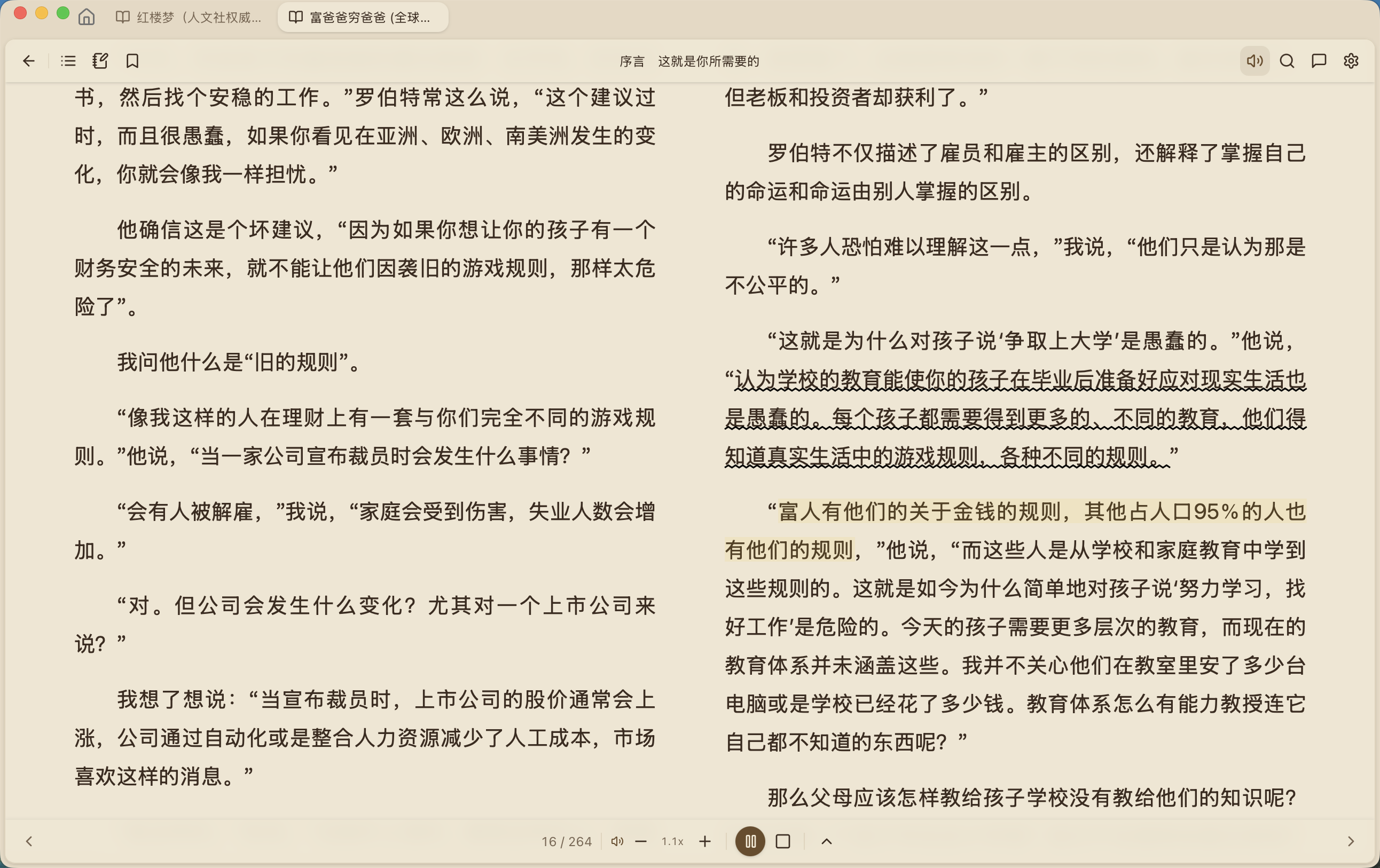
Notes & Highlights
Highlight in 5 colors, take Markdown notes, and export to Obsidian, Notion, or plain Markdown. Organize your knowledge effortlessly.


Text-to-Speech
Listen to your books with Edge TTS. Choose from 100+ voices in multiple languages, adjust speed, and enjoy background playback.

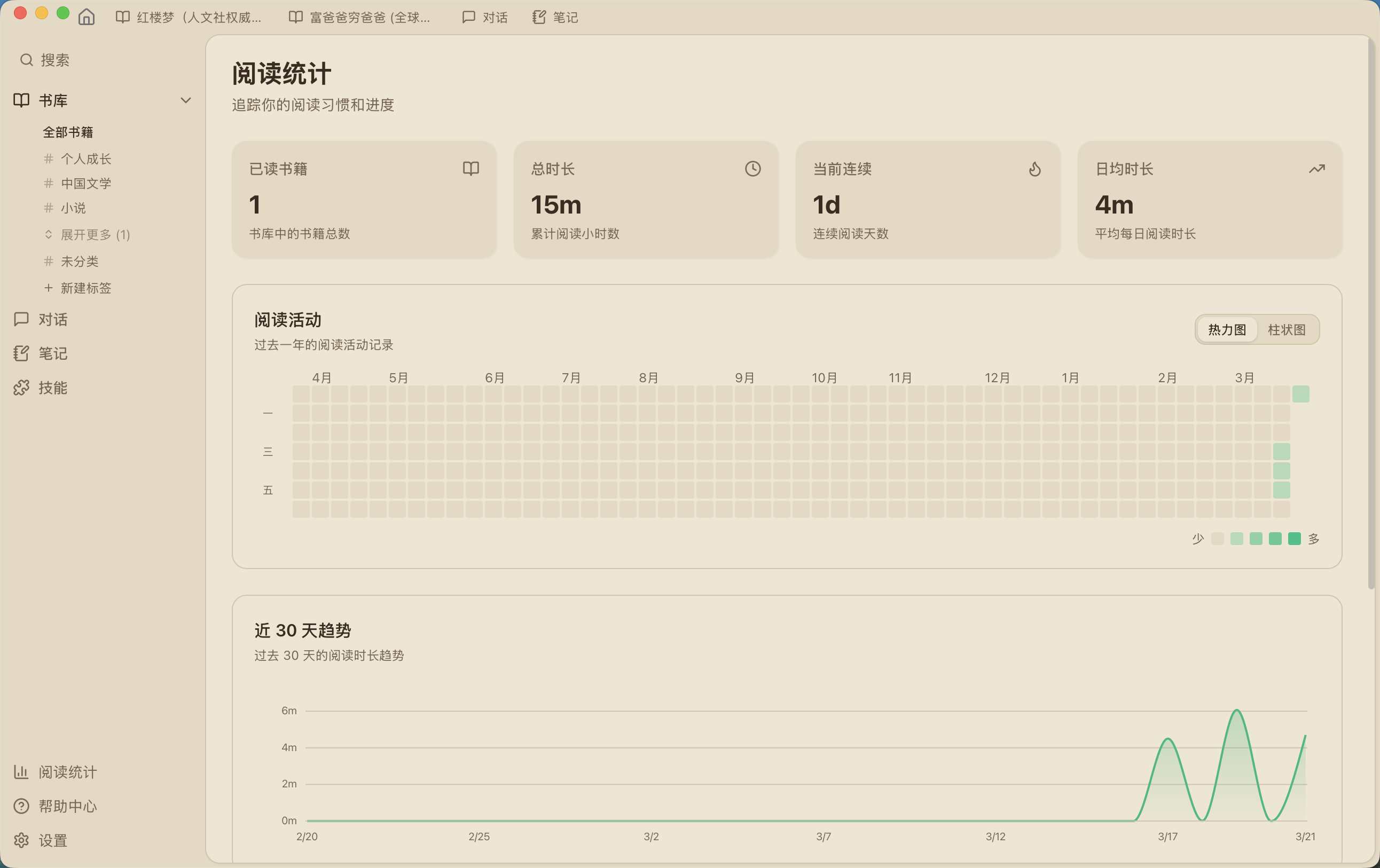
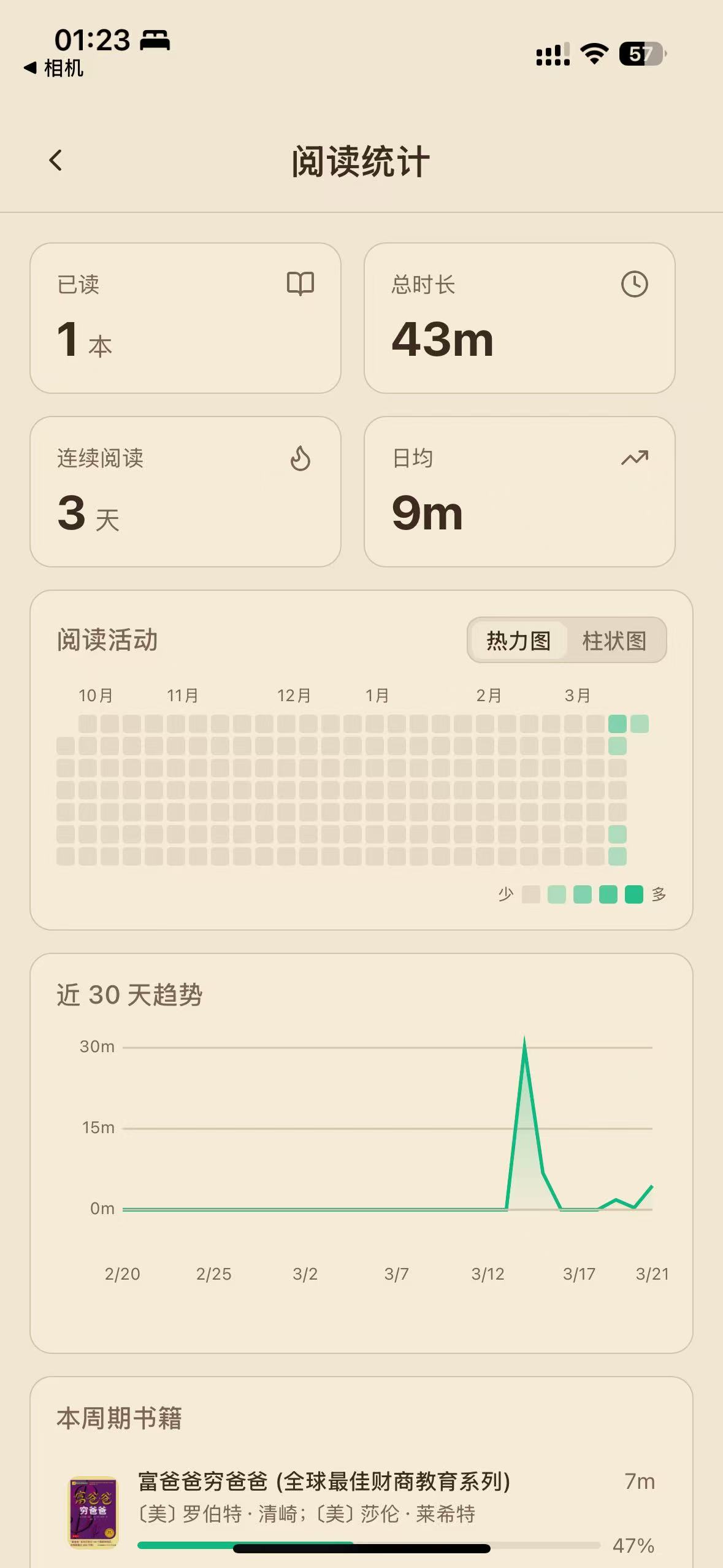
Reading Statistics
Track your reading habits with heatmaps, trend charts, and streak tracking. Visualize your progress like GitHub contributions.
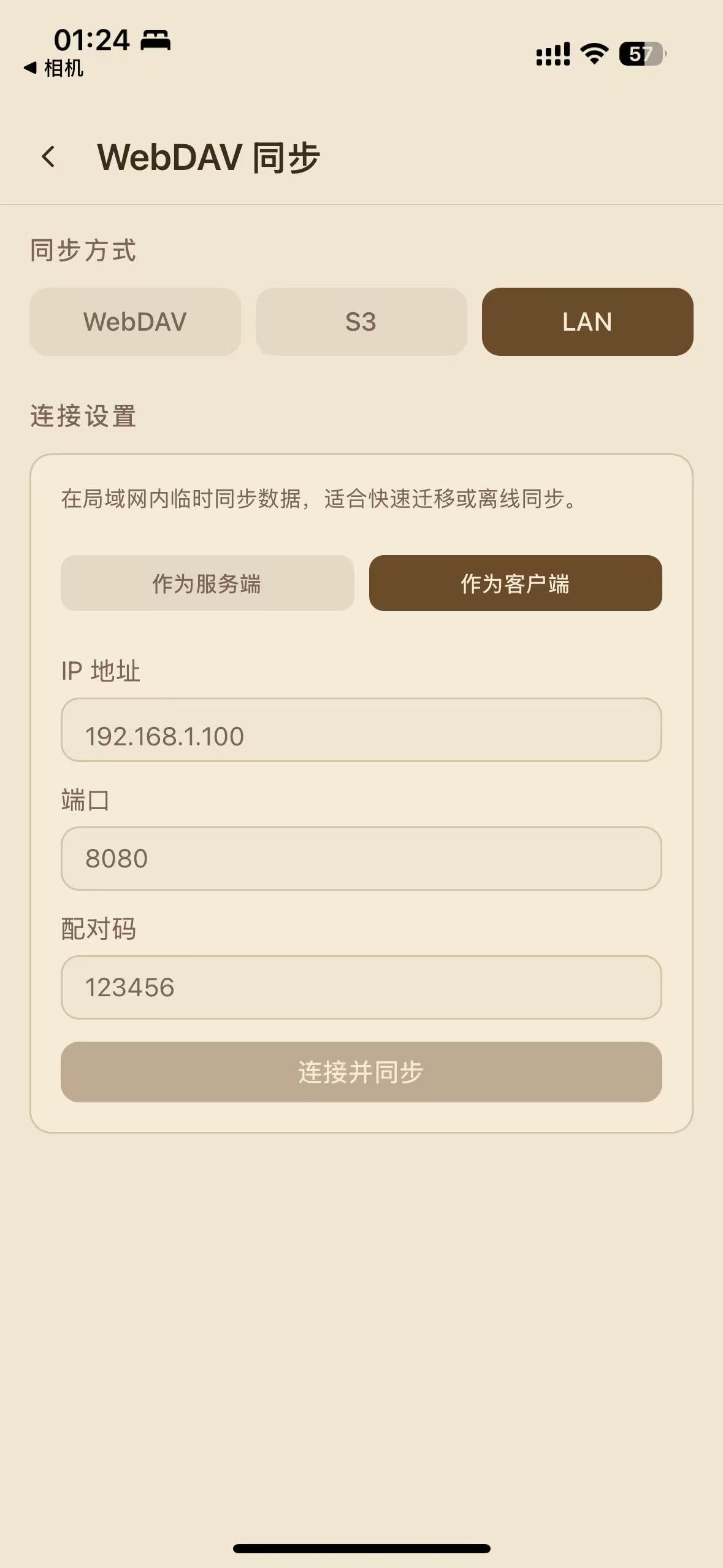
Cross-Device Sync
Sync your library, highlights, and notes across all devices. Supports WebDAV, S3, and LAN sync with automatic background synchronization.

Perfect For Every Reader
Whether you're a student, researcher, or casual reader, ReadAny adapts to your needs.
Academic Research
Researchers can quickly analyze papers, extract key insights, and organize references with AI-powered annotations and semantic search.
Language Learning
Language learners can translate passages, get explanations, and practice with AI conversations about book content.
Professional Development
Professionals can summarize technical books, extract actionable insights, and build a personal knowledge base.
Book Clubs & Discussion
Book club members can prepare discussion points, analyze themes, and share annotated passages with the group.
Built with Modern Technology
Powered by cutting-edge frameworks and tools for the best performance
Tauri
Cross-platform desktop apps
React
UI components
TypeScript
Type-safe code
Rust
High-performance backend
SQLite
Local database
OpenAI
AI integration
Download
Get started with ReadAny on your platform
The source code is completely open-source and free. App store versions may have a small fee to support ongoing development and certificate costs. You can always build from source for free.
Frequently Asked Questions
Everything you need to know about ReadAny
Is ReadAny free to use?
Which AI providers are supported?
Is my data private?
What e-book formats are supported?
Can I sync across devices?
How does the AI chat work?
macOS says the app "is damaged and can't be opened"?
sudo xattr -rd com.apple.quarantine /Applications/ReadAny.app Still have questions?
Visit Help CenterCommunity & Support
Join the conversation and get help
Join Our Community

小红书群

微信群
☕ Support the Project
If you find ReadAny helpful, consider buying me a coffee!